Website Prototype: Benefits for Business
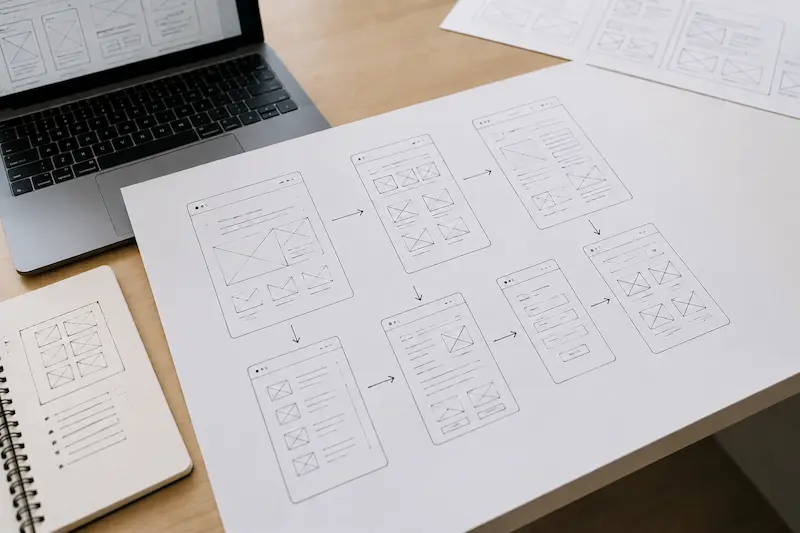
Table of Contents
Introduction
Imagine you've commissioned a website. The designer has prepared attractive mockups, and the developer has started working on them. But then you discover that the homepage is missing important information, the order form is inconveniently placed, and visitors struggle to find the services they need. The design and structure have to be revised, costing additional time and money.
Website development without proper planning often leads to situations like these. A website prototype helps prevent such problems by providing an initial blueprint of the pages. It shows where key elements will appear, how navigation will work, and whether the user experience makes sense before the full visual design is created.
A prototype allows the client and developer to agree on the website structure, the order of content sections, and the key actions visitors should take. At this stage, rearranging sections, moving a button, or changing the user journey is much easier than making those changes after design and development are complete.
In this article, we'll explore the different types of website prototypes, how they differ from finished designs, how they are created, and the benefits they offer businesses.
What Is a Website Prototype?
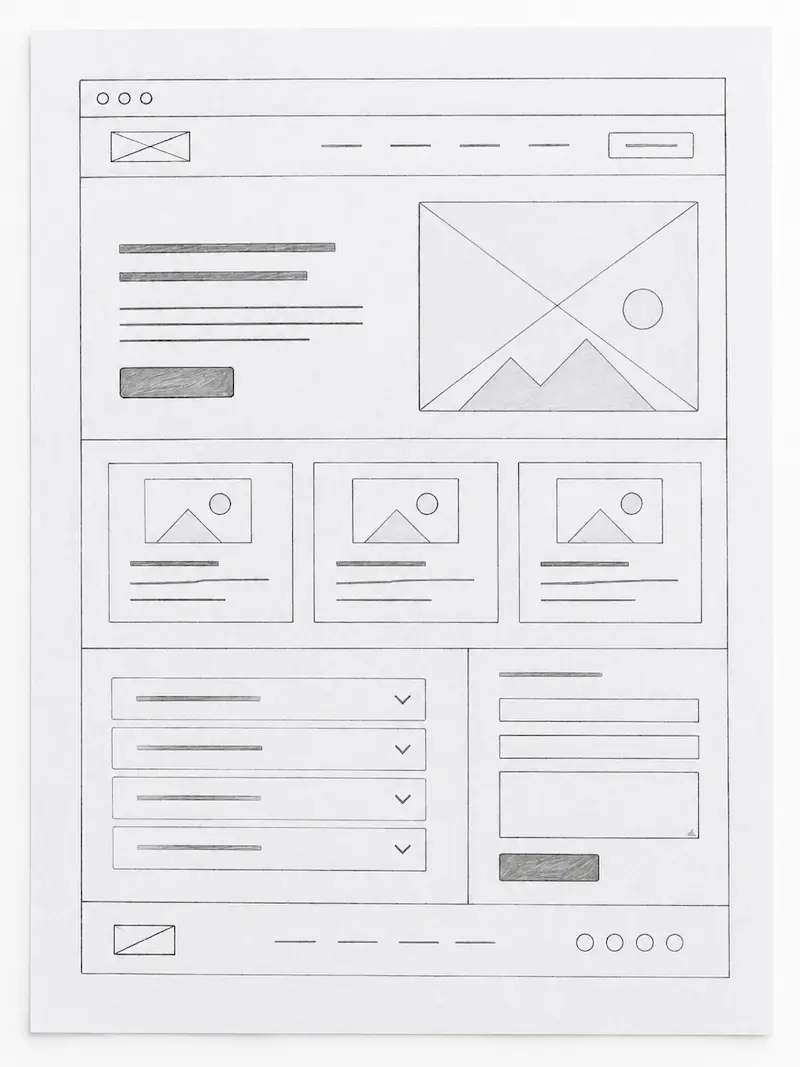
A website prototype is a schematic model of a future web page or an entire website. It shows where headings, text, images, buttons, forms, menus, and other elements will appear. The main purpose of a prototype is to test the website's structure and interaction logic before investing resources in full visual design and development.
Consider a typical service page. At the top, you'll find the service name, a short description, and a button to place an order. Below that come the benefits, examples of previous work, pricing, frequently asked questions, and a contact form. A prototype lets you see this entire sequence and determine whether visitors can navigate the page easily.
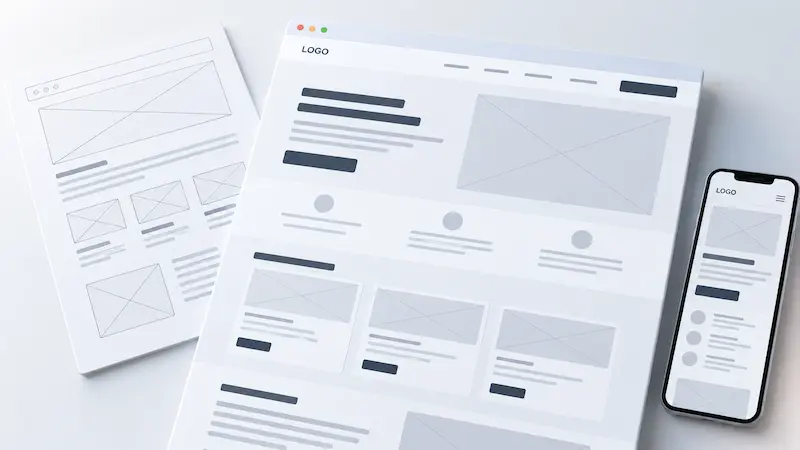
The simplest website prototypes may look like collections of labeled rectangles. Empty placeholders represent photographs, brief labels replace detailed text, and buttons simply indicate where interactive elements will eventually appear. This is often enough to evaluate the page structure.
More advanced prototypes can be interactive. Clicking a button opens another page, menus switch between sections, and forms demonstrate the steps involved in completing them. This allows clients to test the main user journeys before any code is written.
It's important not to confuse a prototype with a sitemap. A sitemap shows the website's pages and how they connect, while a prototype provides a more detailed view of individual page layouts and interactions between elements. Together, they help establish a clear architecture for the future website.
Ultimately, a prototype isn't simply a stripped-down design intended to save time. It's a practical tool for testing ideas, structure, and usability before committing to costly development.
Benefits of Website Prototyping for Business
For business owners, website prototyping provides an opportunity to see how their future website will work before most of the design and development budget has been spent. Instead of discussing pages in abstract terms, the client receives a clear visual outline that can be reviewed, discussed, and adjusted.
The first benefit is clarity from the very beginning. For example, a company commissions a twenty-page website. Without a prototype, the client and designer may have different expectations about its structure. The client expects dedicated content sections for every service, while the designer plans to combine the information across just a few pages. Prototyping helps identify these differences before the design phase begins.
The second benefit is fewer expensive revisions. Rearranging a few schematic blocks or adding a form to a prototype is considerably easier than redesigning a finished responsive layout and modifying existing code. This is particularly important for corporate websites, product catalogs, and other projects with many pages.
The third benefit is the ability to plan the customer journey. Visitors should quickly understand what services a company offers, why they can trust it, where to find examples of previous work, and how to submit an inquiry. If important information is hidden or poorly organized, the prototype makes it possible to correct the problem before launch.
The fourth benefit is easier collaboration and approval. The business owner reviews the page content, the marketer evaluates the sequence of offers and calls to action, the designer considers the visual hierarchy, and the developer assesses future interactive elements and functional requirements.
A prototype also helps identify content requirements early. If a page needs production photographs, customer reviews, service specifications, or answers to common questions, these requirements become clear before the design is created.
However, a prototype alone doesn't guarantee higher conversion rates or increased sales. Its value lies in helping teams test page logic, identify potential problems before launch, and reduce the risk of unnecessary expenses.
Types of Website Prototypes
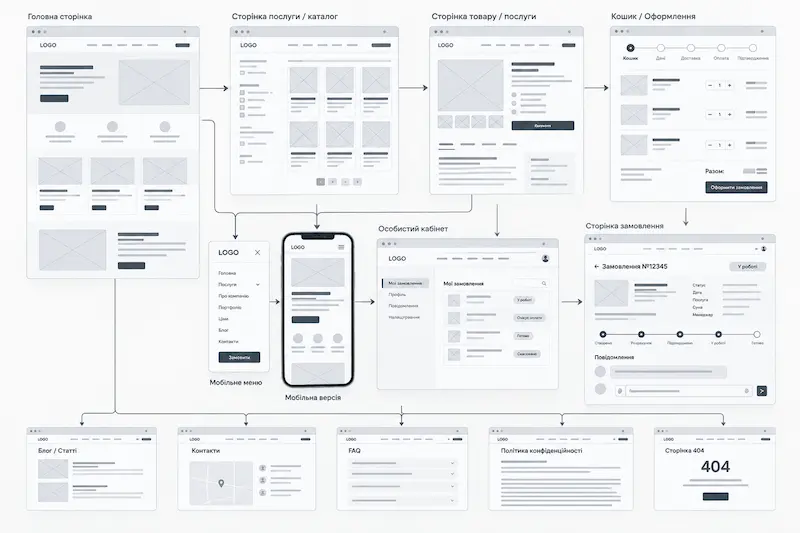
Website prototypes differ primarily in their level of detail and interactivity. Simple sketches may be sufficient for a small brochure website, while a complex customer dashboard or online service with multiple user journeys may require a more detailed interactive model.
Low-fidelity prototypes are basic page sketches. They can be drawn on paper or created using a design tool. Rectangles represent images, short labels replace finished copy, and the layout focuses on the arrangement of elements. This approach is useful for quickly exploring ideas, testing the order of content sections, and agreeing on the initial structure.
Mid-fidelity prototypes provide a more accurate representation of the future page. They establish the approximate dimensions and positions of menus, forms, cards, buttons, and other key elements. Draft content and actual section names may be included, but the final visual styling is not yet necessary.
High-fidelity prototypes closely resemble the intended interface. They may include realistic content, carefully selected typography, colors, images, and interactive transitions. This approach is particularly useful when testing complex user journeys or demonstrating how an interface will function.
Prototypes can also be classified as static or interactive. A static prototype shows where elements are positioned but doesn't allow users to test their behavior. An interactive prototype simulates actions such as opening menus, navigating between pages, clicking buttons, or completing a sequence of steps.
Greater detail doesn't always lead to better results. During the early stages of a project, a simple wireframe can be more useful than a polished mockup because it keeps attention on the structure rather than colors, fonts, and decorative details.
The most appropriate type of prototype depends on the website's complexity, the number of user journeys, and the requirements that need to be validated before development begins.
How a Website Prototype Differs from Website Design
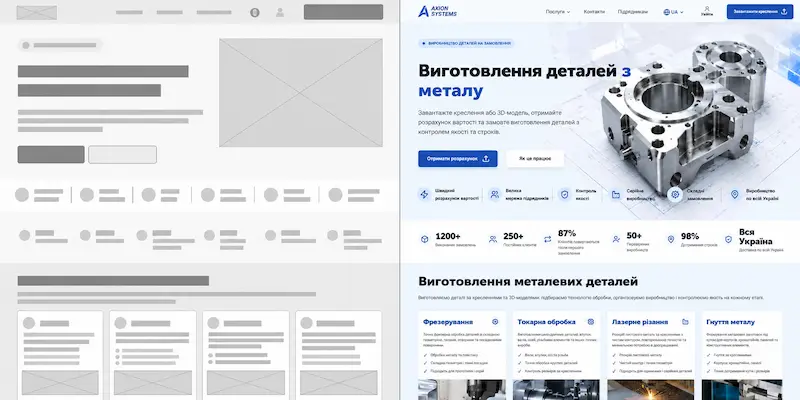
Website prototypes and design mockups are often confused, even though they answer different questions. A prototype shows what will appear on a page and how users will interact with its elements. The design determines how everything will look and what impression the brand will make.
Consider the first screen of a homepage. In a prototype, it might contain an image placeholder, a heading, a short description, and a button. In the finished design, the placeholder is replaced by a photograph or illustration, accompanied by carefully chosen fonts, colors, spacing, and visual accents.
These stages therefore focus on different aspects of the website. A prototype helps verify that all necessary information is present, content sections are logically arranged, and users know where to click. Visual design focuses on hierarchy, readability, contrast, and a consistent interface.
Another difference is the cost of making changes. Moving a pricing section higher on the page or adding a portfolio section to a prototype may require only a few adjustments. Once the design is complete, the layouts of several screens may need to be revised. After development, changes may also affect the page layout and functionality.
The distinction between prototyping and design isn't always clear-cut. An interactive high-fidelity prototype can look almost identical to a finished website. However, even if every button appears clickable, that doesn't mean the database, form submissions, or payment processing actually work. Prototypes generally don't include a functioning backend.
That's why evaluating visual appearance should never replace testing the website's logic. An attractive design cannot compensate for confusing navigation, missing information, or a complicated ordering process.
Stages of Website Prototyping
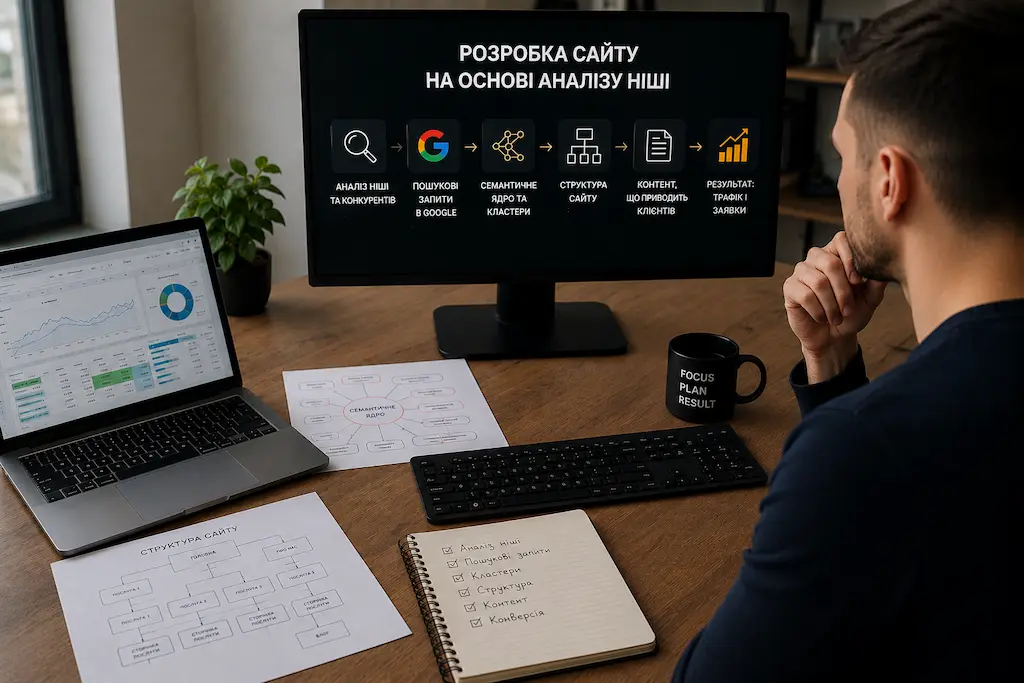
Creating a website prototype doesn't begin with drawing rectangles. It begins with understanding the business objectives. First, you need to identify who the website is for, what visitors will be looking for, and which actions they should be able to complete.
Stage one is business and target audience analysis. For a manufacturing company, it's important to highlight services, technical capabilities, materials, examples of manufactured parts, and a convenient way to submit technical drawings. For a law firm, the priorities may include practice areas, professional experience, credibility, and consultation bookings.
Stage two is planning the website structure. This involves identifying the main pages, categories, and sections, designing navigation menus, and establishing links between pages. If SEO is part of the strategy, the structure should be aligned with relevant search queries before prototyping begins.
Stage three is creating wireframes. For each important page, the team plans the first screen, headings, text sections, images, forms, and buttons. The priority at this stage is the logical organization of information rather than decorative details.
Stage four is mapping user journeys. For example, a visitor arrives from Google on a service page, reviews specifications and previous projects, and submits an inquiry. The team needs to ensure this journey can be completed without unnecessary navigation or difficulty finding the right button.
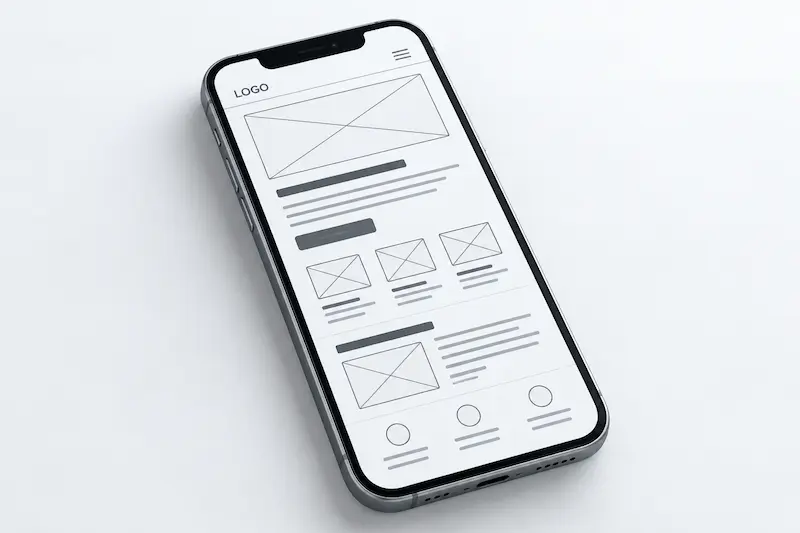
Stage five is adapting the structure for mobile devices. On smartphones, content sections may change order, navigation menus collapse, and forms use different layouts. That's why it's important to evaluate not only the desktop version but also how easily users can complete key actions on smaller screens.
Stage six is testing and approval. The client checks whether the structure meets business objectives, while the team evaluates the usability of key interactions and the technical feasibility of the proposed solutions. Short usability tests may be conducted, followed by any necessary revisions.
Once the prototype is approved, the team moves on to design and the subsequent stages of development. The entire process is explained in detail in our article on the website development process , from market research and planning to launch and ongoing improvements.
Website Prototype Examples
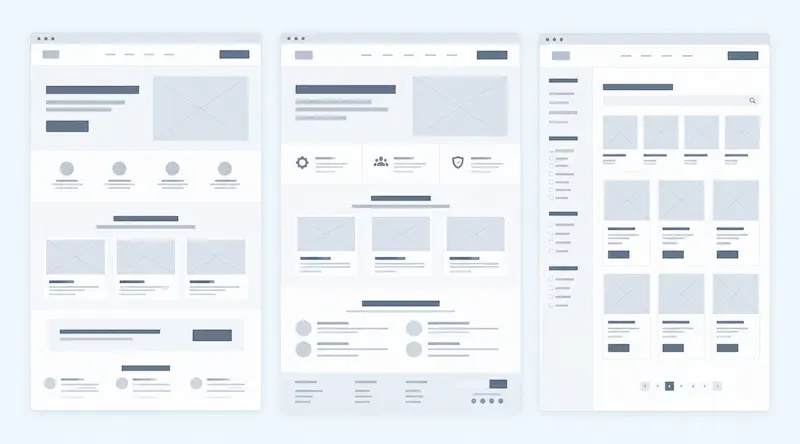
Website prototypes vary considerably depending on the type of project. A structure that works well for a landing page may not be suitable for a corporate website or product catalog. Let's look at several common examples.
Example 1. Landing page prototype. The first screen contains the main offer, a short description, and a call-to-action button. Below it are the benefits, service details, examples of results, testimonials, frequently asked questions, and an inquiry form. The prototype should demonstrate whether visitors have enough information to make a decision and whether the page guides them through a logical sequence.
Example 2. Corporate website prototype. Planning the homepage alone isn't enough. The structure of service pages, company information, portfolio, contact details, and additional sections must also be defined. Navigation between these pages should be tested to ensure visitors can quickly find the services or information they need.
Example 3. Product catalog prototype. The main focus is on categories, product cards, search functionality, filters, and inquiry forms. A customer searches for a product, selects a category, refines the specifications, and opens a product page. If this journey is inconvenient, they may leave the website even when the required product is available.
Example 4. Customer dashboard prototype. Here, individual screens are only part of the picture. User journeys such as registration, sign-in, order creation, file uploads, order tracking, and notifications are equally important. An interactive prototype makes it possible to test the sequence of actions before development begins.
The principle is the same in every example: a prototype should be designed around specific user needs and business objectives. Don't copy the order of content sections from a popular template simply because it looks modern.
When reviewing a prototype, consider it from the perspective of a real visitor. Is it immediately clear where they are? Can they find the information they need? Is the main action easy to complete? These questions help reveal weaknesses in the website structure.
Website Prototyping Tools
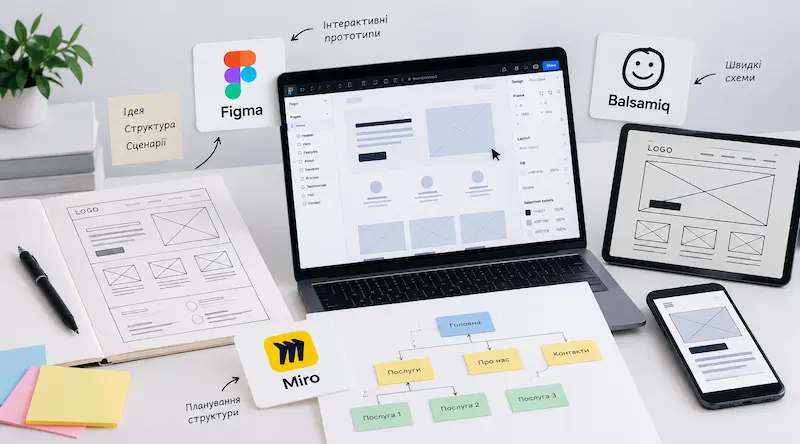
You don't need to master complicated professional software to create a website prototype. The right tool depends on the required level of detail, the number of pages, the need for interactivity, and how the project will be reviewed and approved.
The simplest option is pen and paper. During the early stages, you can quickly sketch several homepage layouts, rearrange content sections, and compare different approaches. Paper sketches aren't suitable for interactive testing, but they're excellent for discussing initial ideas.
Figma is one of the most widely used tools for interface design and prototyping. It allows teams to create wireframes, use reusable components, configure transitions between screens, and collaborate on projects. Clients can open designs through a shared link and leave comments without installing additional software.
Balsamiq is designed for quickly creating low-fidelity wireframes. Its ready-made interface components help teams concentrate on page structure rather than visual styling, making it particularly suitable for early planning and approval.
Miro is useful for collaboratively planning website structures, user journeys, and initial layouts. Teams can collect ideas, sitemaps, comments, and basic page sketches on a shared board. However, dedicated prototyping tools are generally better suited to detailed interactive prototypes.
The software itself doesn't determine the quality of the result. You can create an impressive interactive prototype in Figma and still overlook the fact that users struggle to find a particular service. Conversely, a simple sketch may reveal a critical structural problem before money is spent on design.
For most business websites, it's best to start with simple wireframes and introduce greater detail or interactivity only where necessary to test user journeys or approve complex solutions.
How Prototyping Affects Website Development Costs
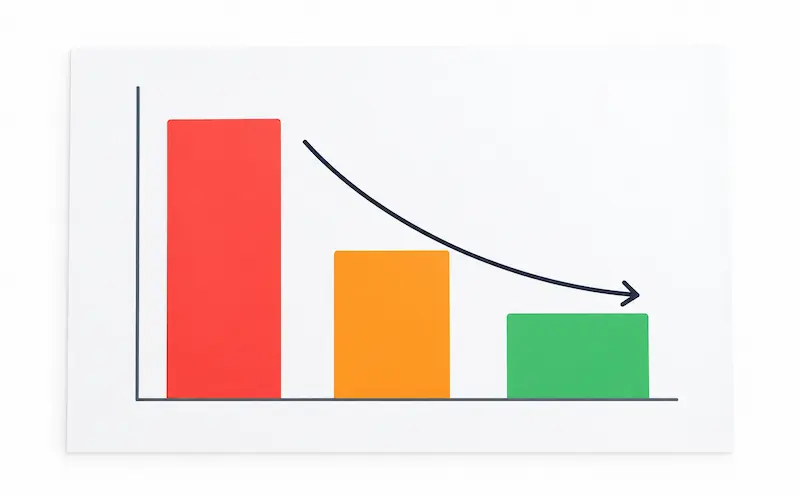
Prototyping takes time, so it may initially seem like an unnecessary expense. However, the cost of website development involves more than the work of designers and developers. The budget is also affected by the number of revisions, functional complexity, repeated approval cycles, and reworking completed stages.
Consider an example. A company commissions a ten-page corporate website. The designer prepares the mockups, but the client then realizes the service pages need a different structure: technical specifications should be added, project examples moved, and contact forms repositioned. If the structure wasn't approved earlier, some of the design work will have to be redone.
Things can become even more complicated when a website has already been developed and testing reveals that users struggle to submit inquiries or navigate between sections. Changes may then affect not only the appearance of the pages but also components, responsive layouts, form behavior, and integrations.
A prototype helps address these issues while the website is still at the planning stage. Rearranging sections, adding a screen, or revising a user journey is usually faster and less expensive than rebuilding finished functionality.
However, prototyping doesn't reduce costs in every project. A complex interactive prototype may be unnecessary for a small landing page. For a corporate website with multiple page templates, a product catalog, or a customer dashboard, however, agreeing on the structure in advance usually justifies the time invested.
The cost of prototyping itself depends on the number of unique pages, navigation complexity, user journeys, level of detail, and testing requirements. For example, ten similar service pages may need only one reusable template, while five functionally different customer dashboard screens may require individual planning.
The goal isn't to document every page in exhaustive detail. It's to validate the most important decisions before entering expensive development stages. This makes the budget more predictable and reduces unnecessary rework.
Conclusion
A website prototype allows you to evaluate a future website before it becomes a finished design and working code. It helps visualize page structures, assess navigation usability, plan user journeys, and agree on key decisions with the client.
For businesses, the greatest benefit of prototyping isn't the wireframe itself but the opportunity to identify problems early. If a page's structure is confusing, an important section is missing, or users struggle to find the inquiry form, it's better to address these issues before design and development begin.
At the same time, a prototype shouldn't be more complex than the project requires. A simple wireframe may be sufficient for a small website, while a product catalog or customer dashboard may require more detailed planning of user journeys and interactive transitions.